
Your studio and dashboard, on your phone.
The Lumbus Live app for iPhone and Android is your studio and your dashboard on a phone: switch scenes and force Be right back with one thumb, see every connection and what is left of your Mobile Data, get alerts as pushes with quiet hours that follow your trip, and reach support in one tap. Free with every Lumbus Live plan, same login as the web.

On its way to the App Store and Google Play.
Same login as the web. New to Lumbus Live? Sign-ups are by invitation for now — join the waitlist.
Three tabs, one thumb.
Laid out for a street at night: the numbers that matter at a glance, and the one button you reach for when the signal goes.
Tab by tab
- Live
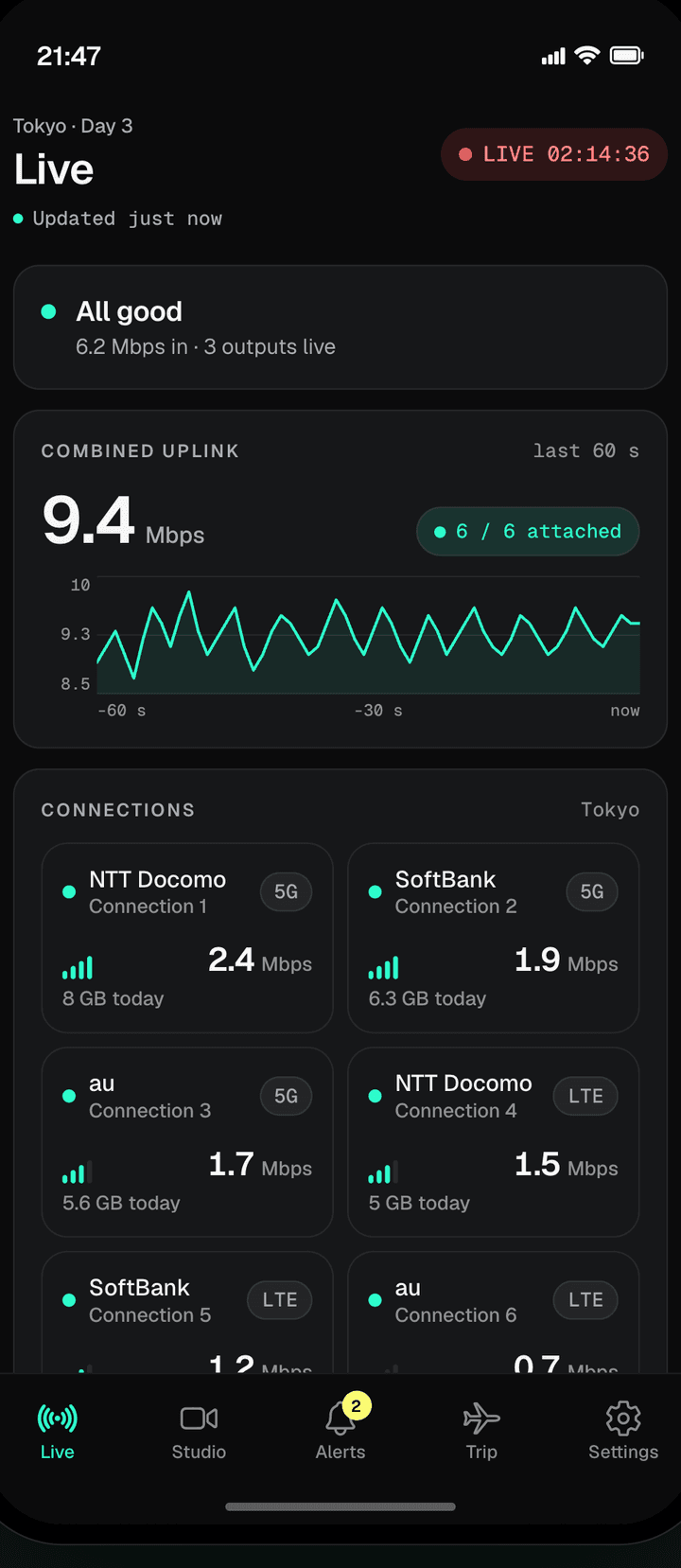
- The combined uplink over the last sixty seconds, each connection with its network, its speed and what it has used today, and a Live clock while you are on air.
- Studio
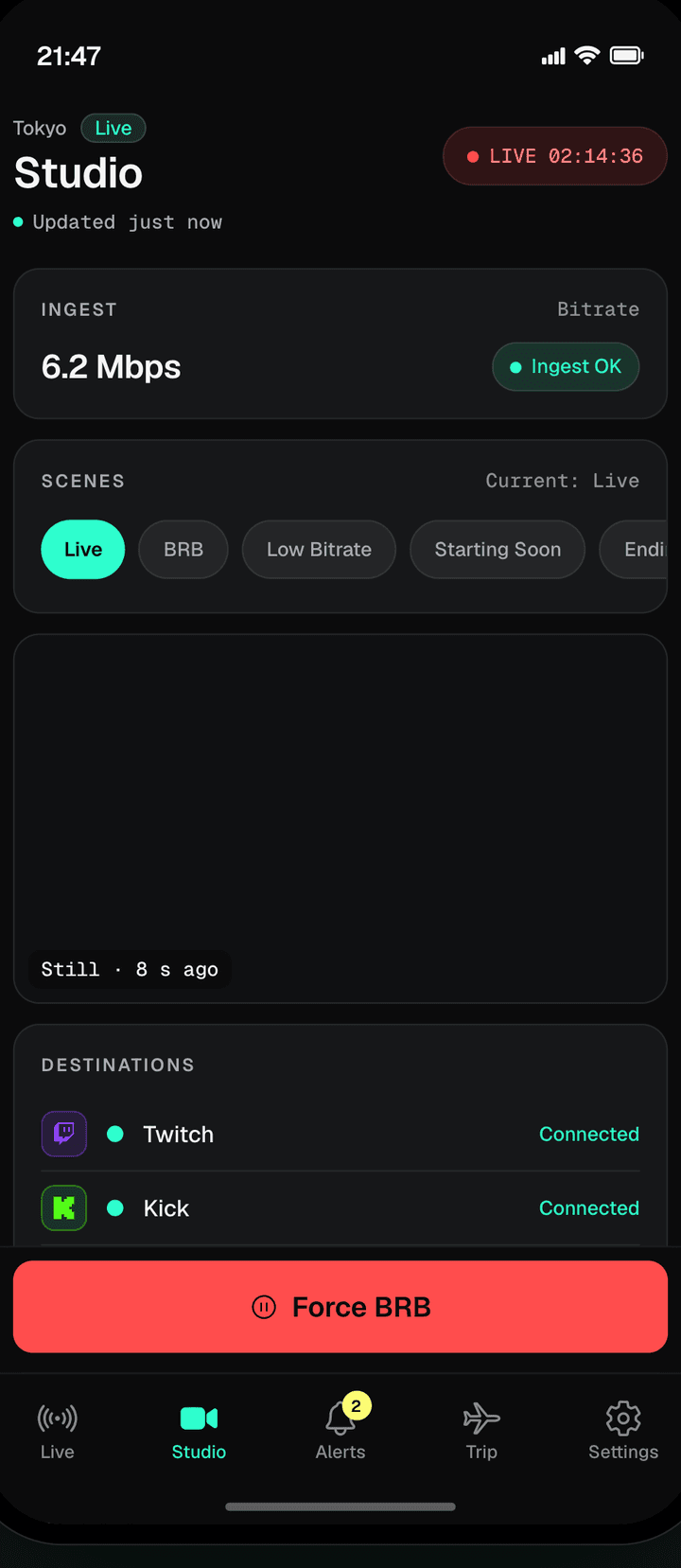
- Your ingest bitrate, your scenes in a row, every destination with its health, and Force BRB. Switch scenes with one thumb.
- Alerts
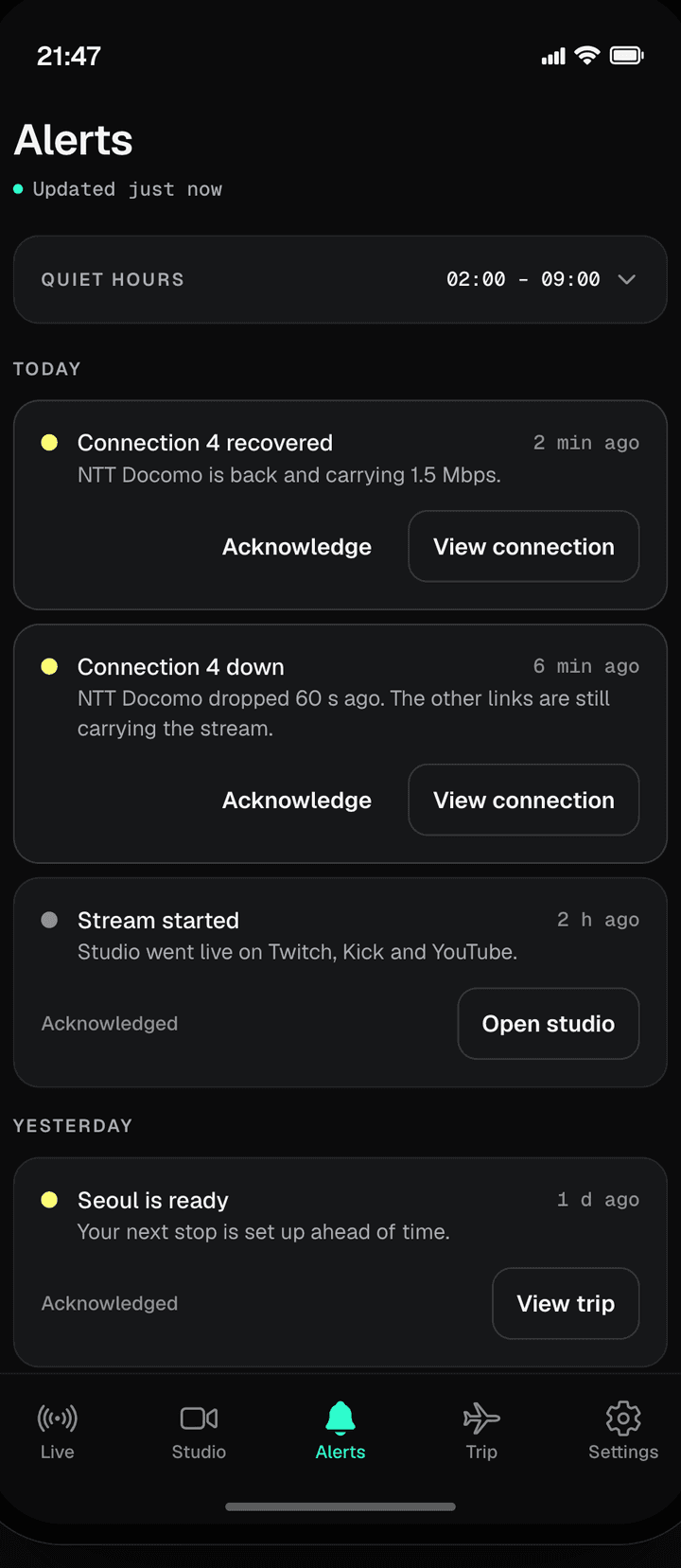
- Connection down, connection recovered, stream started, studio unhealthy — as pushes, even with the app in the background. Quiet hours follow your trip timezone; critical alerts always come through.
- Trip
- Your current stop and the next one, the studio for it, and the support line one tap away — call, WhatsApp or email.
- Settings
- Your plan and what is on the account, which alerts reach you, and your account itself.
What stays on the web.
Plans and add-ons are bought on the web, from Plan & add-ons in your dashboard — the app never bills you. The drag-and-drop scene canvas, your team and your recordings are in the web studio; the app is built for the moments you are on the street.
What the studio doesOne login for everything.
Your Lumbus login opens the studio on the web, the Lumbus Live app on your phone and, if you ever need them, travel eSIMs. Sign in with the same email and password everywhere.
Questions
Do I need the app?
No. Everything the app does, the studio does in a browser on the same phone. The app adds pushes that reach you with the screen off, quiet hours that follow your trip, and one tap to the support line.
Is the app free?
Yes. It comes with every Lumbus Live plan and never bills you: plans and add-ons are bought on the web, from Plan & add-ons in your dashboard.
Where do I get it?
It is on its way to the App Store and Google Play; the app page carries the store links the day the listings are live. It opens with your Lumbus login; new to Lumbus Live, sign-ups are by invitation for now.