Go live. Stay live. Anywhere.
A production studio in the cloud for launches, podcasts, classes, services and streams. Bring guests, your brand and every platform at once, from a browser or your phone. When the Wi-Fi drops, the phones around you keep you on air.
Bond from $9.99Studio from $49Seven days of Studio Pro, free, no card

One stream out to
- YouTube
- X
- Twitch
- Kick
- TikTok
- and any RTMP address
Who it is for
One studio. Every kind of live.
The same studio runs a product launch, a podcast, a Sunday service and a walk through Tokyo. Here is what each one leans on.
- BusinessesLaunches, town halls and webinars in your brand, on LinkedIn, YouTube and a watch page people register for.
- AgenciesRun every client from one login. On Studio Max: two studios live at once, twelve seats with roles and a brand kit per client.
- PodcastsGuests join from a link in their browser, and every camera and voice is recorded on its own track.
- Coaches and educatorsClasses and workshops with your slides on screen, a watch page people register for, and the recording after.
- ChurchesEvery service on YouTube and Facebook at once, with live captions, a recording, and Be right back if the connection drops.
- EventsStages and festivals with two cameras or a backup source on Studio Pro, and phones that carry the stream when the venue Wi-Fi gives out.
- News and mediaReport from anywhere with a phone as the camera, more phones as the connection, and guests from a link.
- CreatorsTwitch, Kick, YouTube and TikTok at once, chat on screen, and clips cut for you after the stream.
- IRLWalk, ride and explore with no backpack. When one network fades, the phones around you carry the stream.


Studio
A broadcast truck in a browser tab.
Lumbus runs the production in the cloud. You run the show from a browser or the Lumbus Live app, and nothing gets installed.
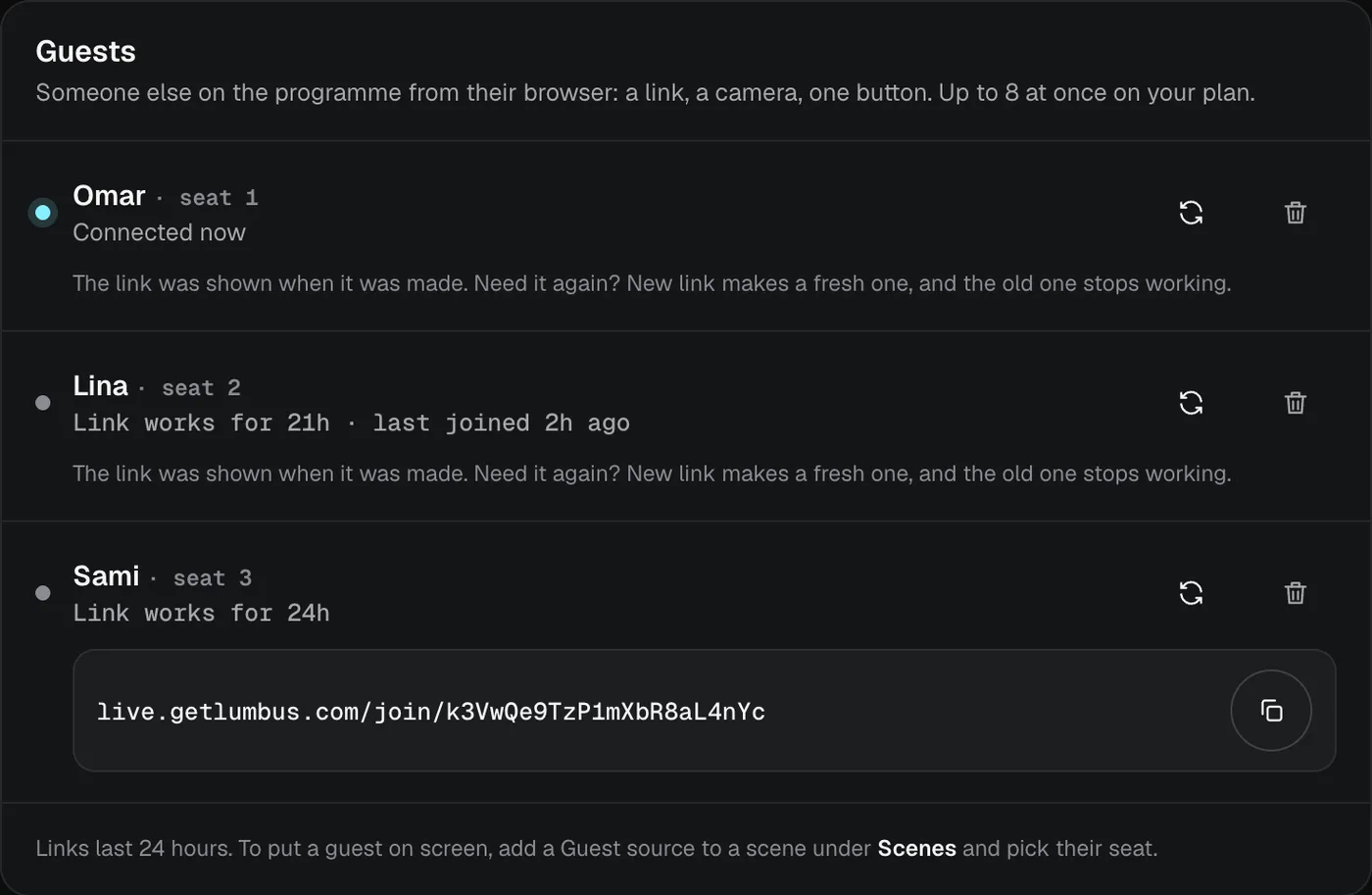
More on StudioGuests from a link
They open it in their browser with camera, microphone and screen. Four to eight on screen, by plan.
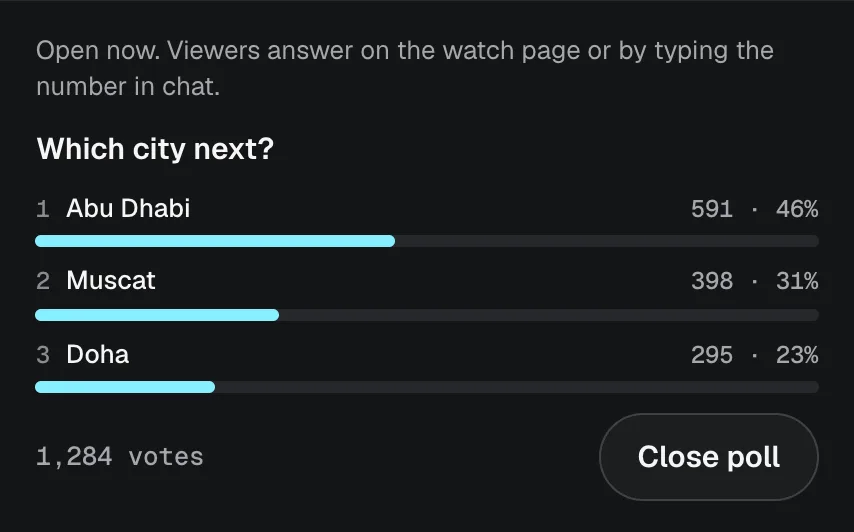
Polls and slides
Viewers vote in chat or on your watch page. Upload a PDF and turn the pages live.
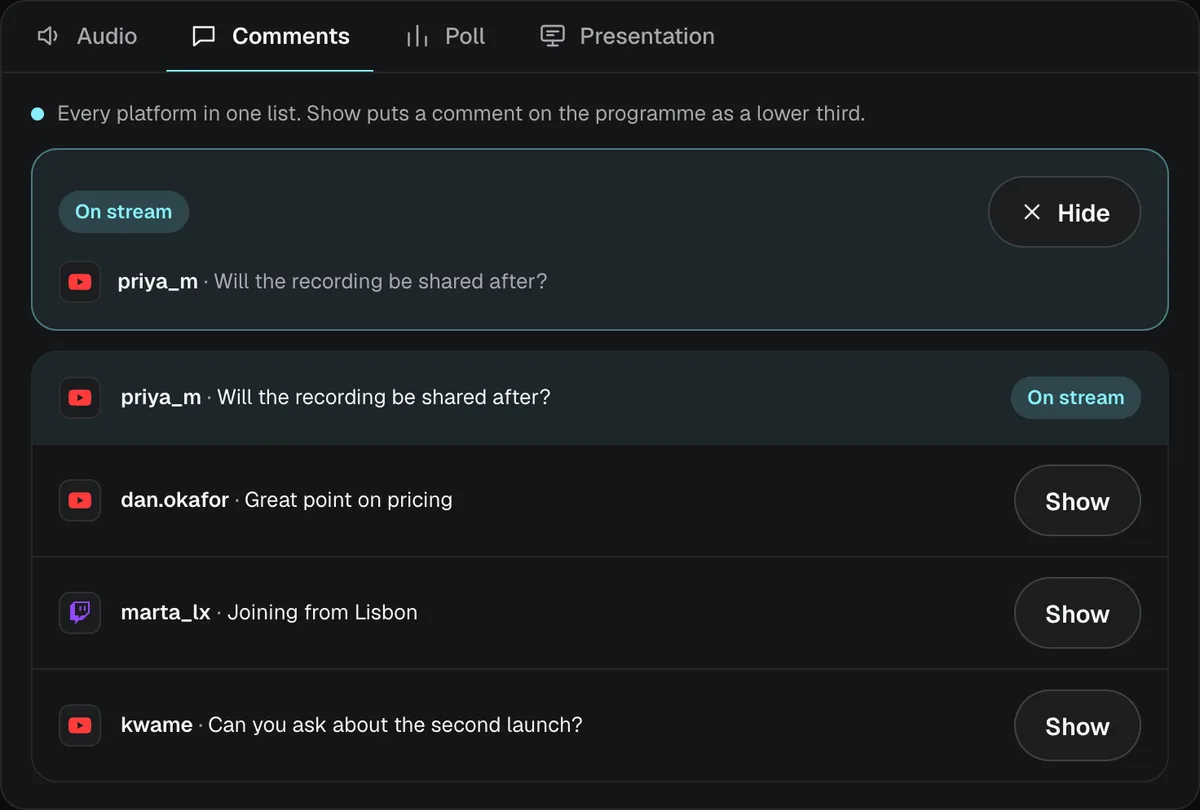
Comments in one list
Comments from YouTube, Twitch and Kick in one place. Tap Show and one goes on screen as a lower third.
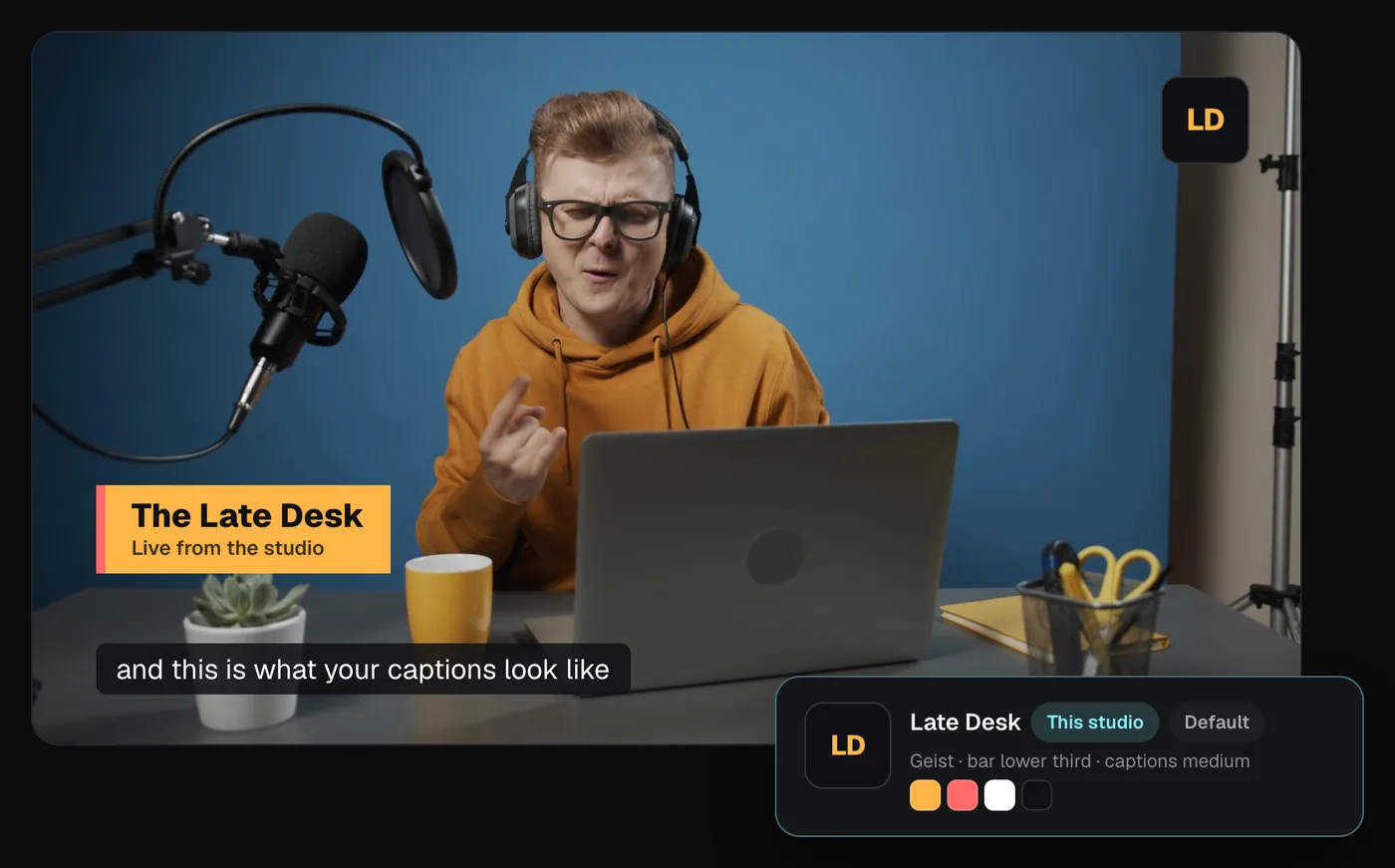
Your brand on everything
Logo, colours and lower-third style, saved as a kit and worn by every overlay and clip.
Record every stream
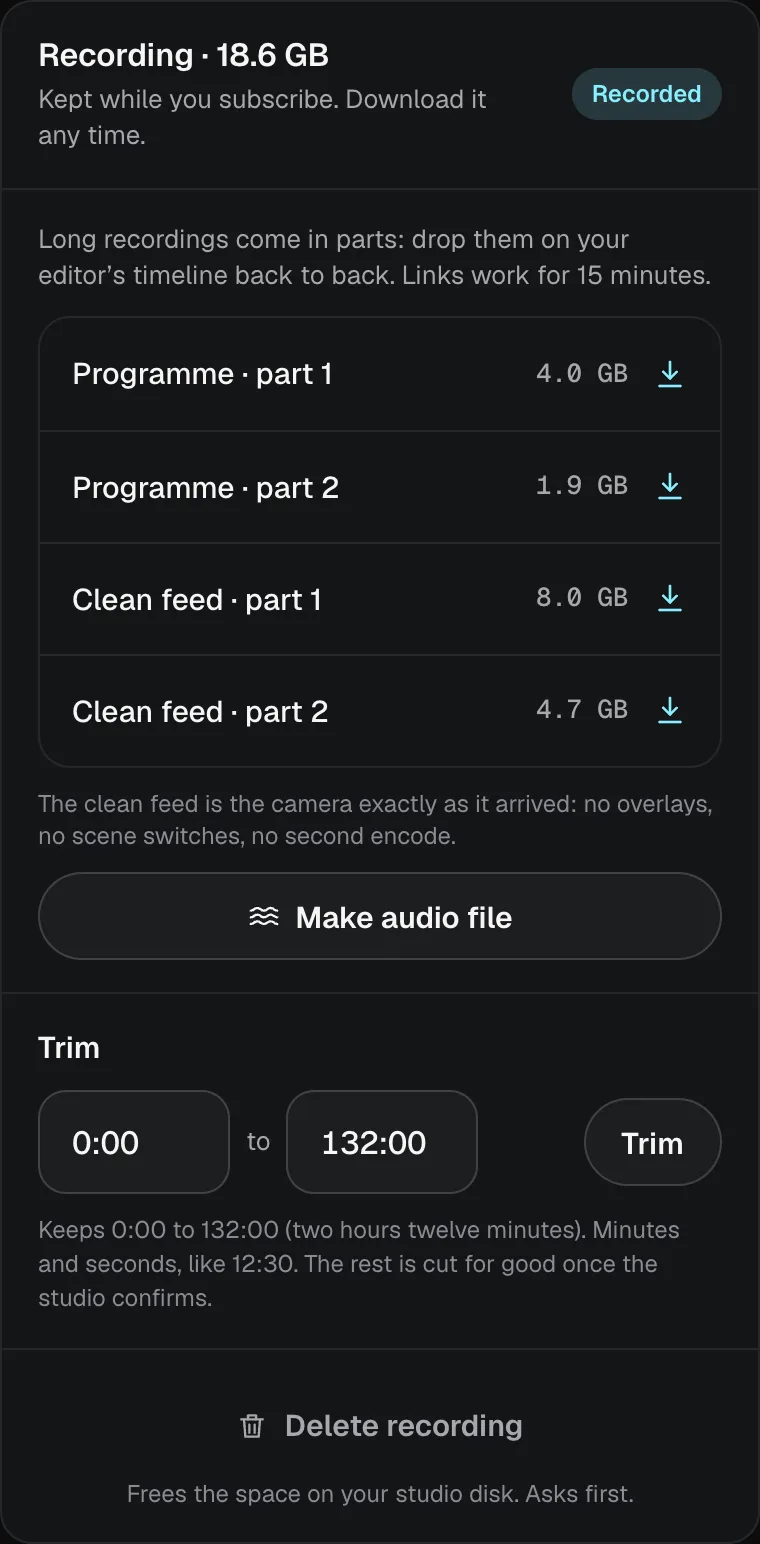
Download the programme and every guest’s own track as MP4 files. A clean feed too, from Studio Plus.
Clips cut for you
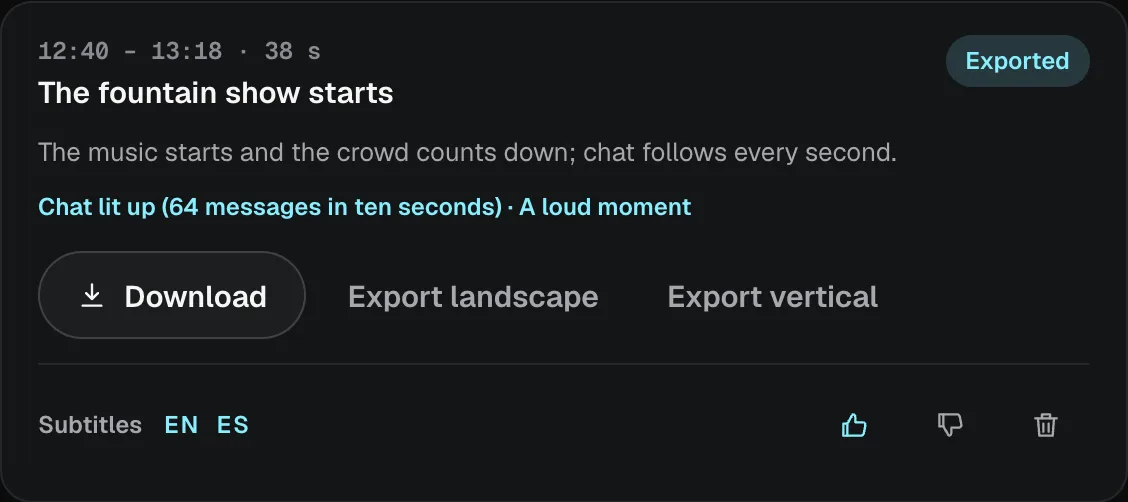
After the stream, Lumbus finds the moments worth posting and cuts them landscape or vertical, with subtitles.
Bond
Throw away the backpack.
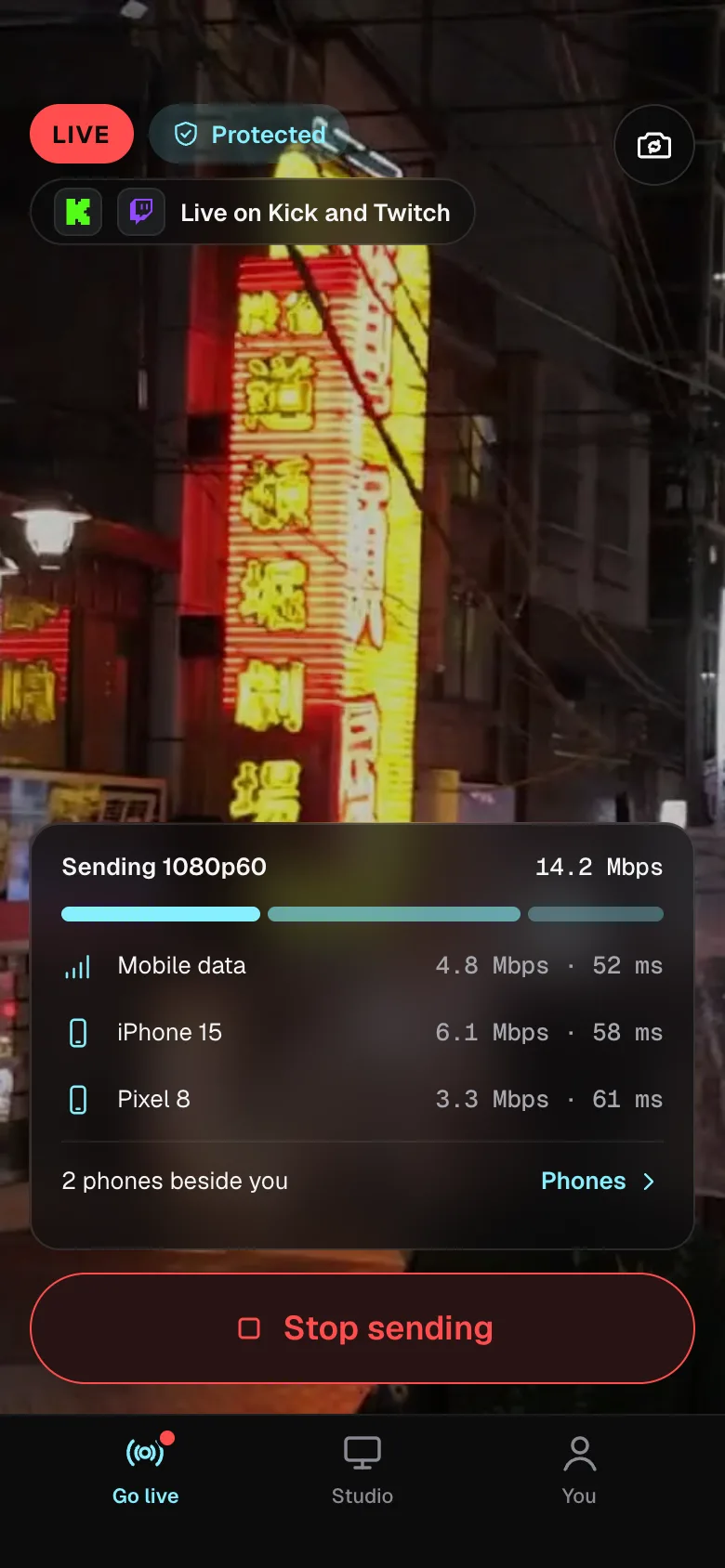
No bonding backpack. No box running hot on your back. No overheating hardware at all. Bond turns the phones around you into one connection, and when one network fades, the others carry your stream.
- hardware to buy, rent or carry
- 0
- phones one stream can lean on
- 14
- a month for Bond on its own
- $9.99
Go on. Cut a connection.
This is the stream going out over your phone, two phones beside you and Wi-Fi. Cut them one by one and watch what viewers get.
Try it: cut a connection
A preview of a live stream going out over four connections, your phone, two phones beside you and Wi-Fi, to Twitch, YouTube, Kick and TikTok. Cut connections to see what viewers get: while one is left the stream carries on; when all are cut, Studio shows Be right back and returns to Live by itself once a connection is back. Timings are shortened.

- Twitch
- YouTube
- Kick
- TikTok
- Twitch
- YouTube
- Kick
- TikTok
- and more
Pricing
From free to two studios at once.
Monthly, cancel any time. Every plan carries the full 60 frames a second.
Free
$0no card
For trying it out: 2 hours live a month · 2 platforms at once · Bond with one phone beside you · the Lumbus Live mark on the picture
Start on FreeBond
from$9.99a month
For streamers who just want a stronger connection. Three sizes: 2, 4 or 8 phones beside you, $9.99 to $19.99 a month.
See the three Bond sizesStudio
$49a month
5 platforms at once · 4 guests on screen · 1 seat · 50 GB kept while you subscribe
Try it freeStudio Plus
$89a month
8 platforms at once · 6 guests on screen · 2 seats · Clean-feed recording · 150 GB kept while you subscribe
Try it freeStudio ProEvery trial starts here
$149a month
12 platforms at once · 8 guests on screen · 4 seats · Two cameras, or a backup source · Text alerts and priority support · 500 GB kept while you subscribe
Try it freeStudio Max
$199a month
20 platforms at once · Two studios at once · 12 seats with roles · API and webhooks · 1 TB kept while you subscribe
Try it freeEvery Studio plan starts with seven days of Studio Pro, free, with eight hours on air to try it. No card needed: add one only to keep a plan when the week ends. Or stay on Free: two hours live a month, for as long as you like. Prices in your currency; switch it at the foot of the page.
Questions
- Do I need any hardware?
No. Lumbus uses your phone as the camera, and the phones around you as extra connections. If you already use a camera or a laptop, Lumbus takes that too; a camera sends its picture through your phone or a laptop, unless it streams by itself.
- Which platforms can I stream to?
Kick, Twitch, YouTube, TikTok, Facebook, X, LinkedIn and any custom RTMP address, all at once from one stream: 5 on Studio, 8 on Studio Plus, 12 on Studio Pro, 20 on Studio Max.
- Can guests join without installing anything?
Yes. A guest opens a link in their browser and joins with their camera, microphone and screen. No app and no account; you choose when they are on screen.
The full answerHide the full answer
Yes. Each guest gets a link to a seat in your studio. They open it in a browser on a computer or a phone, pick their camera and microphone, share their screen if you want it, and wait off screen until you put them on. No app, no account. From Studio Plus, they can also record their own camera in full quality while the stream goes out, and upload it after the show. Studio takes four guests on screen, Studio Plus six, Studio Pro and Studio Max eight.
- What happens when my signal drops?
Viewers see a “Be right back” screen instead of a frozen picture, and Live comes back by itself when your signal returns. All your platforms stay connected the whole time.
The full answerHide the full answer
Studio watches your feed once a second. Weak for a few seconds and viewers get your Low bitrate scene; gone, and they get Be right back. A frozen or black picture arriving at a healthy bitrate is seen too — shown as a word, and sent to Be right back if you turn that rule on. Live comes back by itself once the signal has held for a few seconds — with a margin, so it never flaps. Viewers see a designed scene, not a frozen frame, and all your platforms stay connected the whole time.
- Is there a free trial?
Yes. Every Studio plan starts on Studio Pro, free for seven days with eight hours on air: eight phones beside you, the full production room, every Pro feature. No card needed. To keep a plan when the week ends, add a card; without one the trial simply ends, nothing is charged, and your studio moves to Free.
The full answerHide the full answer
Yes. Every Studio plan starts on Studio Pro, free for seven days, with eight hours on air to try it: eight phones beside you, the full production room, every platform at once, every Pro feature and five AI clip exports. No card is needed to start. To keep a plan when the week ends, add a card in Plan & add-ons and keep Studio Pro, or pick Studio, Studio Plus, Studio Max or a Bond size. Without a card the trial simply ends on its last day, nothing is charged, and your studio moves to Free. You are told an hour before the eight hours are used; a stream still live at the eighth hour gets one more hour to wrap up, which is not extended, and then it ends.
More questions (16)
Is there a free plan?
Yes. Free has 2 hours live a month, 2 platforms at once, two guests, one phone beside you with Bond, captions and two AI clips, with the Lumbus Live mark on the picture. No card and no end date.
Technical detailsThe full answer, in detail
Yes. Free is the same room at its smallest, for as long as you like: 2 hours live a month, 2 platforms at once, two on-screen guests, one phone beside you with Bond, live captions, two AI clip exports a month, a watch page for 10 viewers at once and 5 GB of recordings, each kept 14 days. The Lumbus Live mark sits in a corner of the picture. No card is needed, and nothing is ever charged. Free includes 2 hours live a month, counted across your studio and Bond on its own. You are told 15 minutes before they are used; a stream still live then gets 15 more minutes to wrap up, which are not extended, and then it ends. The hours come back on the 1st of each month. A free studio sleeps soon after a stream or when nothing is connected, does not wake on a schedule, and is awake at most 6 hours a month. Any paid plan has unlimited live hours and no mark.
Can I stream from a camera or a laptop?
Yes. Anything that sends SRT, SRTLA or RTMP points at your Lumbus address. The details live in the dashboard and the guides, not on this page.
Technical detailsThe full answer, in detail
Yes. Lumbus gives every source its own SRT, SRTLA and RTMP address from day one. Point a laptop running your streaming software, or a camera that streams by itself, at them and the picture arrives in your studio like any other; on Studio Pro and Studio Max a second source can stand by as a backup and take over by itself, or go on screen beside the first as a second camera.
Is there an app?
Yes. The Lumbus Live app for iPhone and Android is the camera, the controls and the alerts. Same login as the web; plans are bought on the web.
Technical detailsThe full answer, in detail
Yes. The Lumbus Live app for iPhone and Android is your camera when you stream from your phone, lends a phone’s connection when it stands beside someone else’s stream, and carries your studio and dashboard: scenes and Be right back, go live and end stream, record and clip, platforms on or off, every connection and its health, alerts as pushes even with the app in the background, and the support line. Same login as the web, free with every plan; plans and add-ons are bought on the web.
How does Bond work?
Each phone you add runs the Lumbus Live app and lends its connection. Your stream is split across all of them and put back together by Lumbus before it goes out: to your studio, or straight to your platforms.
Technical detailsThe full answer, in detail
Each phone you add scans a code from your screen, keeps the Lumbus Live app open and lends its connection. Your stream is split across every connection and put back together by Lumbus before it goes out — to your studio, or straight to your platforms — so one weak network never ends the stream. One word tells you where you stand: Protected (two or more connections on different networks), Single, Weak or Lost.
Can I put the other phones back in my pocket?
On Android, a phone can keep lending its connection in the background. On iPhone, the Lumbus Live app must stay open on screen while that phone is lending its connection; the join screen says so.
Do the phones around me need a plan?
They use their own data plans, shared between them, so each one carries only a part of your stream. How much depends on your picture quality; the next answer gives a figure.
How much data does a stream use?
It depends on the picture quality you stream at. As a guide, plan on about 4.3 GB an hour for high-quality HD, shared across the connections you add.
Technical detailsThe full answer, in detail
Plan on your video bitrate plus about 20% for Bond’s own overhead: that is what your connections carry between them. At 8 Mbps that is about 4.3 GB an hour, so 100 GB lasts around 23 hours; a poor network pushes it towards 5 GB an hour. Adding more phones does not add to the total — the same stream is divided between them.
Can I edit my streams afterwards?
Yes. Every recorded stream downloads as a standard video file that opens in the popular editing apps. Recordings are kept while you subscribe, on every paid plan, so download the ones you want to keep.
Technical detailsThe full answer, in detail
Yes. Every recorded stream downloads as standard MP4 files that open in Premiere Pro, Final Cut Pro, DaVinci Resolve or CapCut. Recordings are kept while you subscribe, on every paid plan, so pull them down and they’re yours for good.
Will Studio ever end my stream by itself?
Lumbus never ends an active broadcast just because your connection disappears. A lost signal, a schedule, a restart of the studio software or an update never end a stream you are running: the stream ends when you end it, and Studio asks first. The one exception is the hours of the two plans with no card behind them, the free trial’s eight and Free’s two a month: you are told before they are used, and a stream still live then gets time to wrap up (an hour on the trial, fifteen minutes on Free), which is not extended, before it ends. What your studio cannot promise at any moment it says on your studio page, in plain words.
What happens if Studio cannot reach Lumbus?
Your studio keeps streaming, keeps switching scenes from your signal and keeps recording; only the buttons wait until Lumbus is back. If it restarts while Lumbus is unreachable it runs on the settings it last applied and takes the latest ones the moment Lumbus answers.
Is there a bitrate limit on what I send?
Send at the quality your connection can carry. Studio makes its own output from it, so changing the quality viewers get never restarts your stream.
Technical detailsThe full answer, in detail
Send H.264 or H.265 at the bitrate your connection carries; 4 to 8 Mbps is the usual range at 1080p60. Studio makes its own output from that one feed, up to 1080p60 on every Studio plan (1440p60 and 4K60 come with Custom, for YouTube and custom RTMP; Twitch, Kick and TikTok take 1080p at most), so a change of output quality never restarts anything mid-stream.
Is live streaming really unlimited?
Yes, on every paid Studio plan: unlimited live hours, for normal creator and production use. One stream can run up to 24 hours; start it again to carry on. Free has 2 hours live a month.
Technical detailsThe full answer, in detail
Live Studio hours are unlimited on every Studio plan: stream as often and as long as you like, to every platform your plan includes. Unlimited live production is for normal creator and production use. A single stream can run for up to 24 hours; start it again to carry on. Continuous 24/7 channels, automated rebroadcasting and unusually high-volume use need a Custom plan.
Can people watch without an account?
Yes. Your watch page is one link anyone can open. Turn on registration to ask for a name and email first, and see who came.
Technical detailsThe full answer, in detail
Yes. Every studio can have its own watch page: one link that anyone can open, no account and no app. Turn on registration and viewers give their name and email once before they watch, registration closes at the number you set, and you get the list of who came. The page seats 10 viewers at once on Free, 100 on Studio, 250 on Studio Plus, 500 on Studio Pro, 1,000 on Studio Max.
How many people can watch on my watch page?
As many as your plan seats at once: 10 on Free, 100 on Studio, 250 on Studio Plus, 500 on Studio Pro, 1,000 on Studio Max, for as long as you are live. Nothing extra is charged for viewers.
Technical detailsThe full answer, in detail
Your plan seats 10 viewers at once on Free, 100 on Studio, 250 on Studio Plus, 500 on Studio Pro, 1,000 on Studio Max, and nothing extra is charged for them. Your watch page seats a number of people at once, set by your plan, for as long as you are live. It is delivered by Lumbus, not by your studio, so a big audience never slows your broadcast. When it is full, anyone arriving is told so and gets in when a place opens; nobody watching is dropped, and your platforms are never affected.
Where does my studio run?
Near where you go live from, so the hop from your phone is short. There is nothing to choose or move.
Technical detailsThe full answer, in detail
Near where you go live from: each time it starts after resting, it starts close to you, so the hop from your phone or camera is short wherever you travel. Your scenes and platforms stay the same. On a schedule it sleeps when you are done and wakes before you start, never while anything is streaming.
I already stream through another cloud studio. How hard is switching?
One test stream. Point your camera or streaming software at your Lumbus address, add your channels, test, and switch when it looks right. Your old service keeps running until you cancel it.
Technical detailsThe full answer, in detail
One test stream. Lumbus gives you your own SRT and RTMP addresses from day one — point your camera or streaming software at them, or open the Lumbus Live app on your phone, paste your channel keys, test off-air, and cut over when it looks right. Your current provider keeps running until you cancel it, so nothing goes dark.
Your first eight hours on air are on us.
Seven days of Studio Pro, free: every feature, eight phones beside you, eight hours on air. No card needed: add one only to keep a plan when the week ends.
Start your free trial